Features
Every tool in PromptABCD, in one place.
From fill-in-the-blank templates to exporting a prompt as a Custom GPT — here's the complete list of what PromptABCD does for your AI prompt library.
Free forever · No credit card required
Try it — no signup
Fill the blanks. Get a ready-to-use prompt.
This is a real prompt template. Pick a topic and an audience, then copy the finished prompt into any AI.
Create a detailed outline about remote work aimed at beginners. Include a hook and 4-6 sections.
Pick a topic and an audience below — or hit Shuffle.
Core features
Your prompts, working for you
What PromptABCD does that a notes app never will.
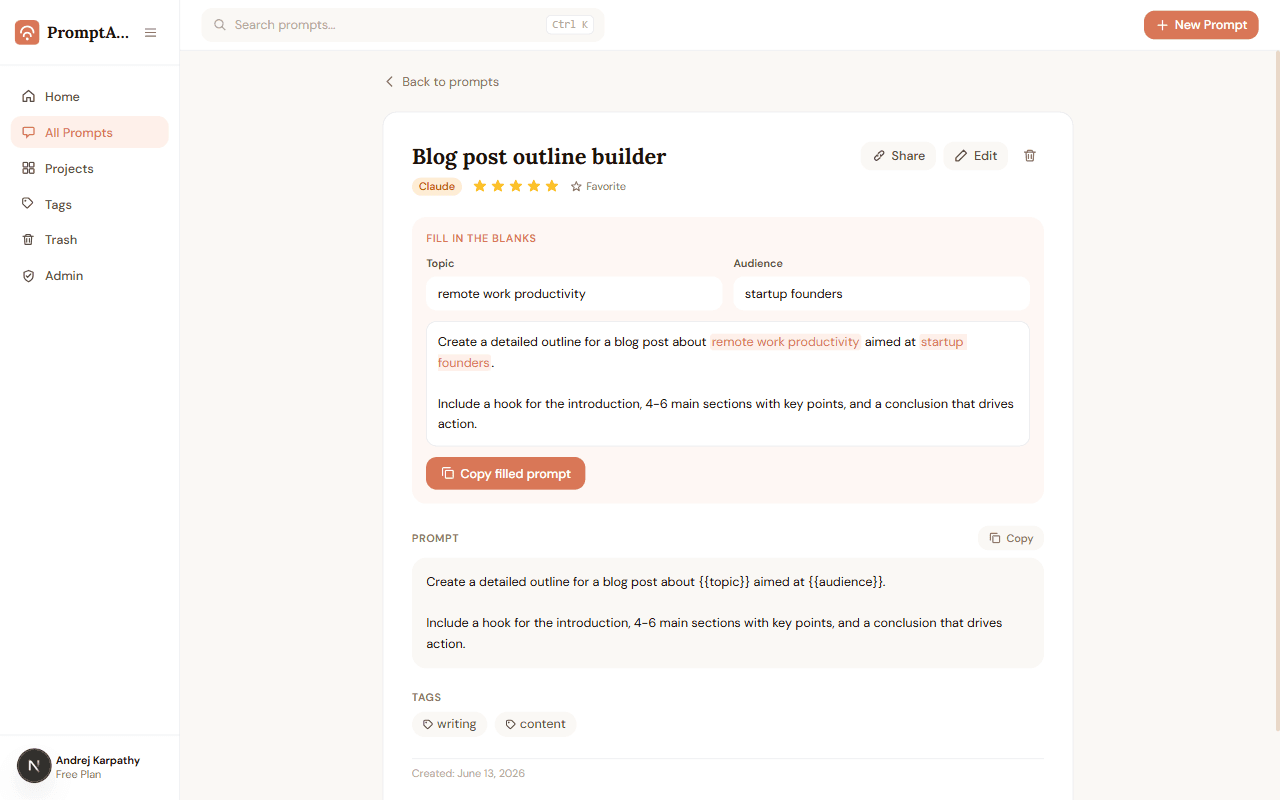
Fill-in-the-blank templates
Write it once. Reuse it forever.
Wrap any word in {{double braces}} and it becomes a fillable blank. Next time, type the new value, watch the live preview, and copy the finished prompt in seconds.
- Variables like {{topic}} become labeled input fields automatically
- Live preview shows your finished prompt as you type
- One click copies the filled-in result
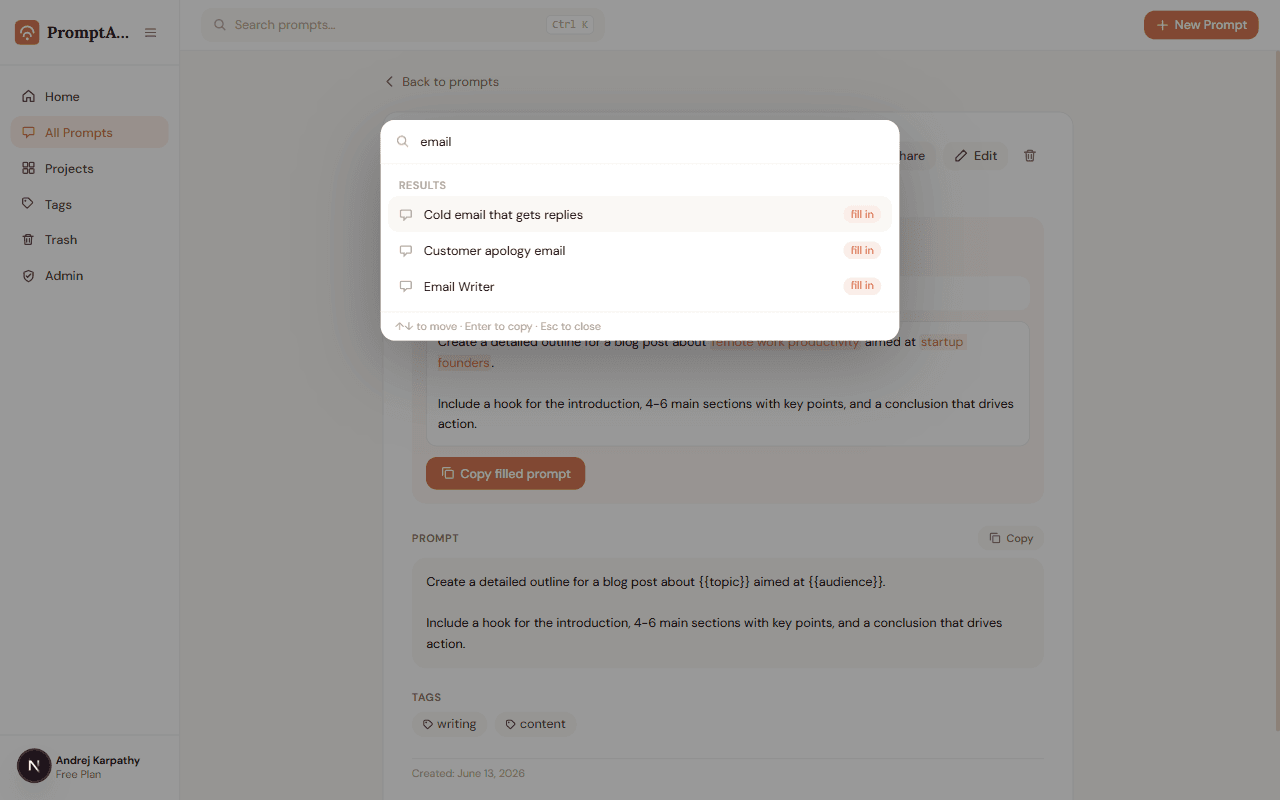
Ctrl+K command palette
Any prompt, two keystrokes away.
Press Ctrl+K anywhere in the app, type a few letters, hit Enter — the prompt is on your clipboard. No clicking through folders, no scrolling.
- Instant search across your whole library
- Enter copies the prompt straight to your clipboard
- Recent and most-used prompts appear before you even type
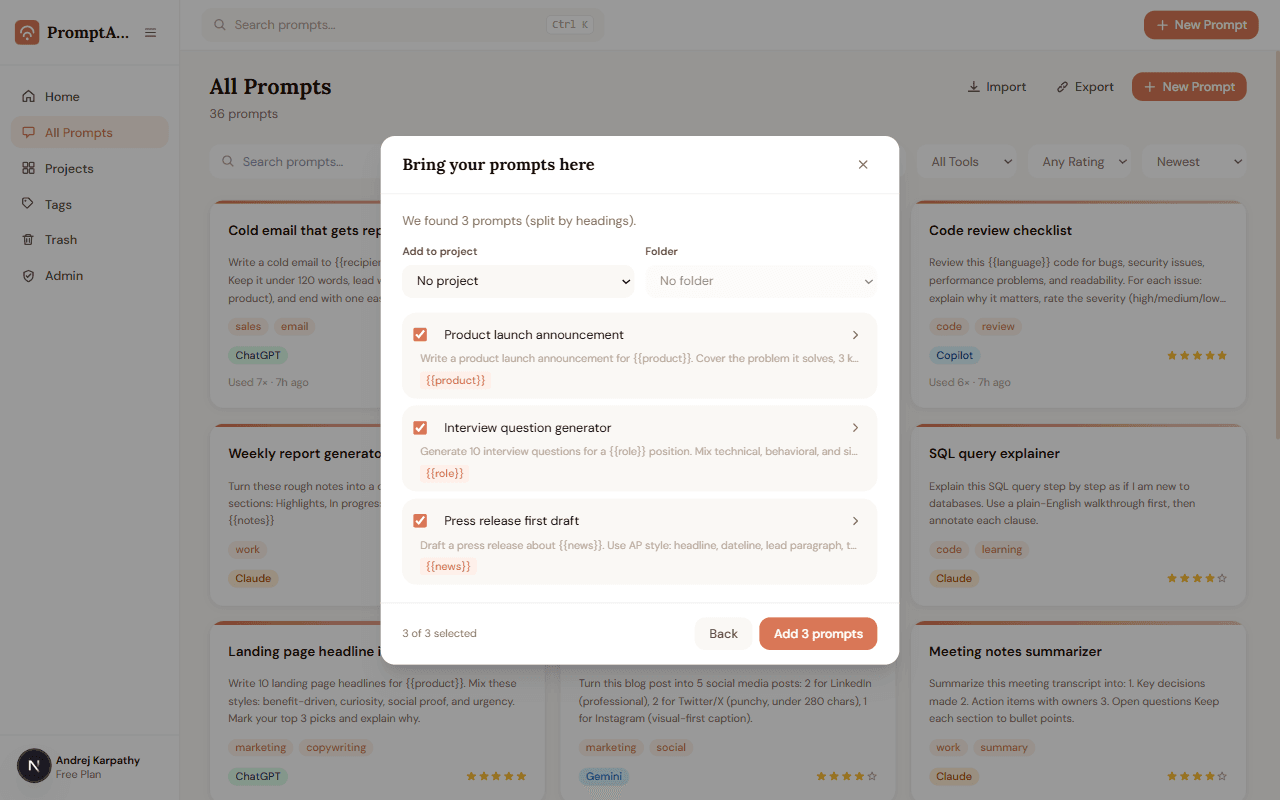
Bulk import
Bring every prompt you already have. In one paste.
Your best prompts live in Notes, Docs, and old chats. Paste them all at once — PromptABCD splits them into individual prompts, flags duplicates, and imports up to 100 in one go.
- Auto-splits by headings, --- lines, or blank lines
- Reads ChatGPT export files too
- Review everything before anything is saved
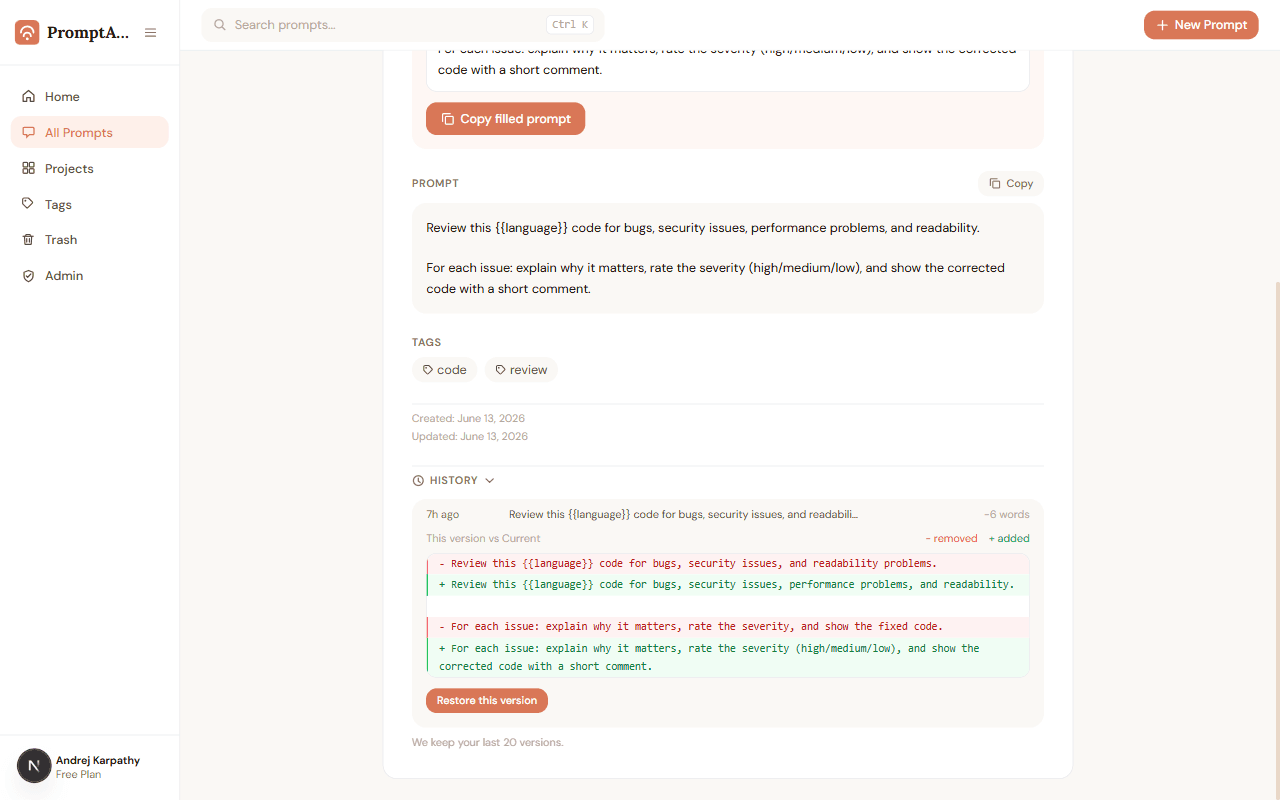
Version history
Every edit saved. Nothing ever lost.
Each time you change a prompt's text, the previous version is kept automatically. Compare versions side by side and restore any of them — restoring is itself undoable.
- Color-coded diff shows exactly what changed
- Restore any of your last 20 versions in one click
- Metadata edits never clutter your history
Share links
Send a prompt as a link, not a wall of text.
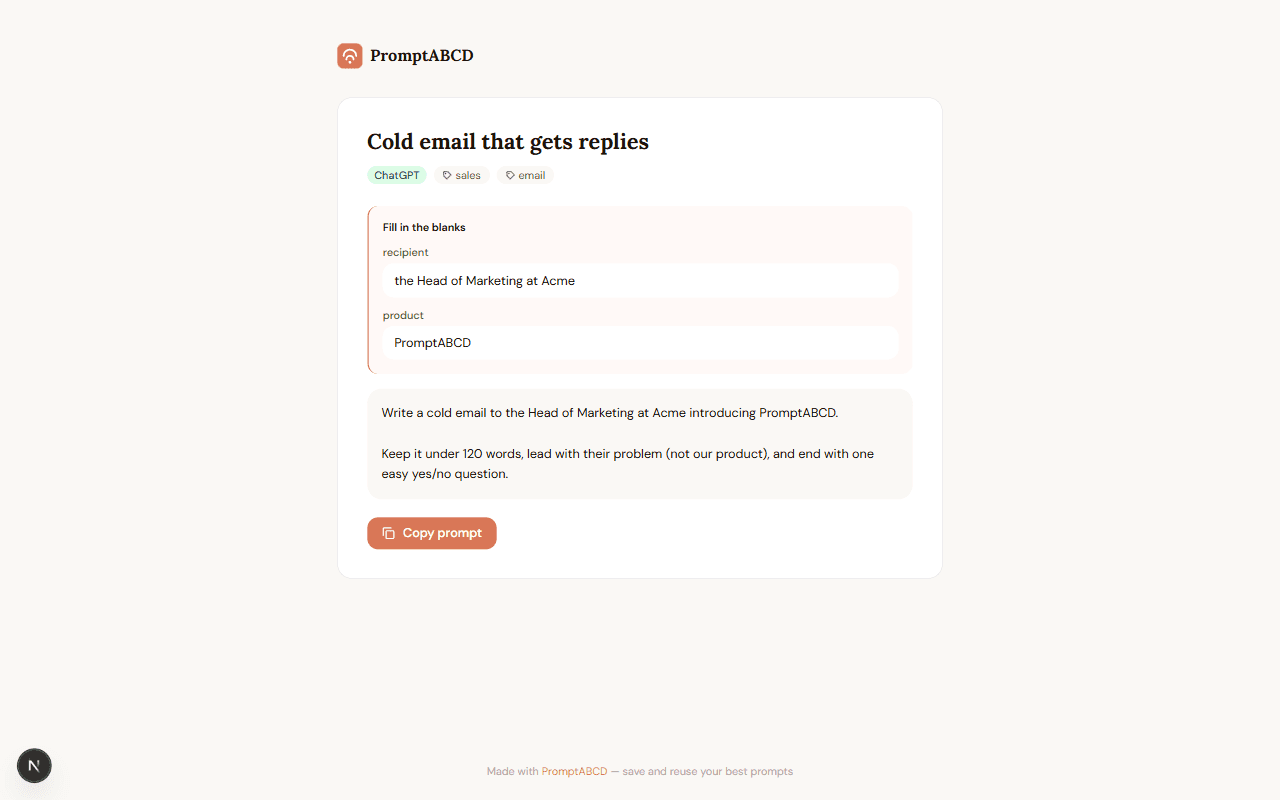
Flip one switch and any prompt gets a clean public page with a copy button. Your results, notes, and name stay private — and the link dies the moment you turn it off.
- Visitors can fill in the blanks and copy — no account needed
- Only the prompt text, tags and tool are ever shown
- Revoke instantly, any time
Reusable context
Save your context once. Reuse it everywhere.
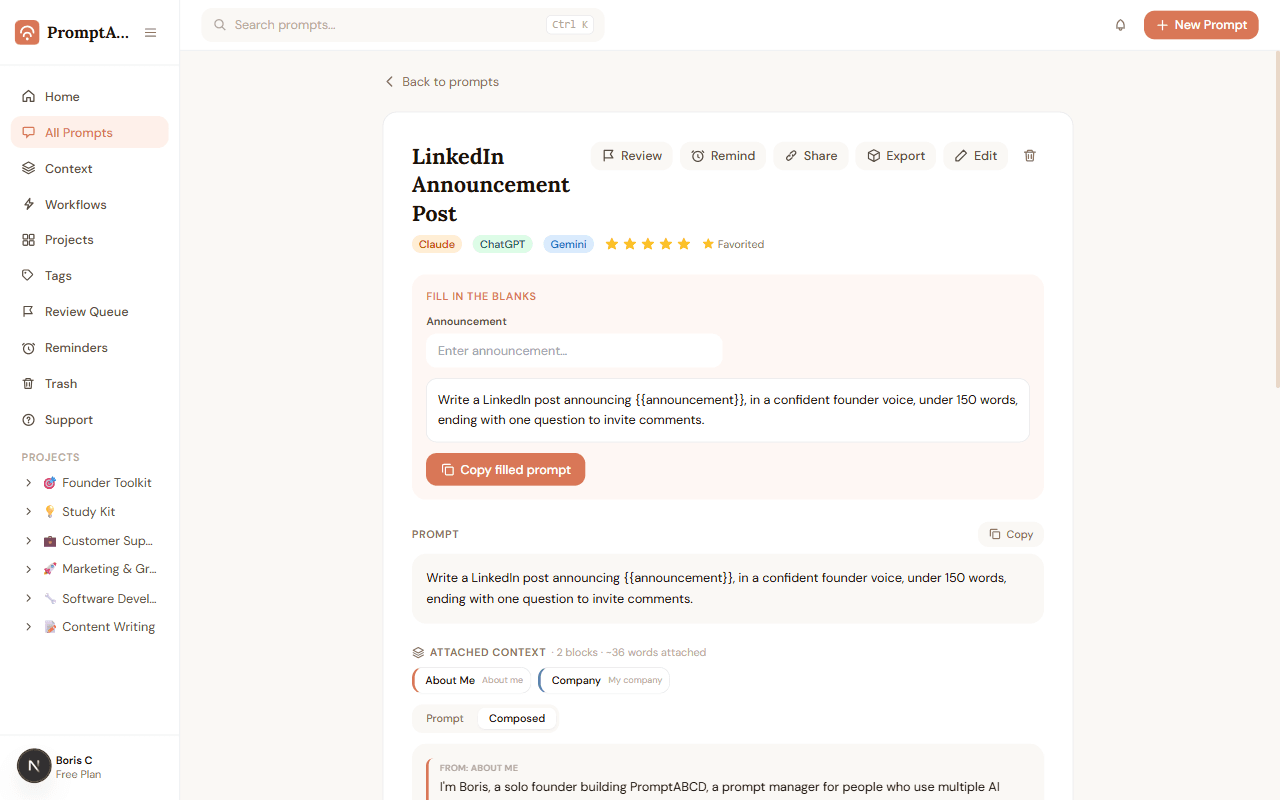
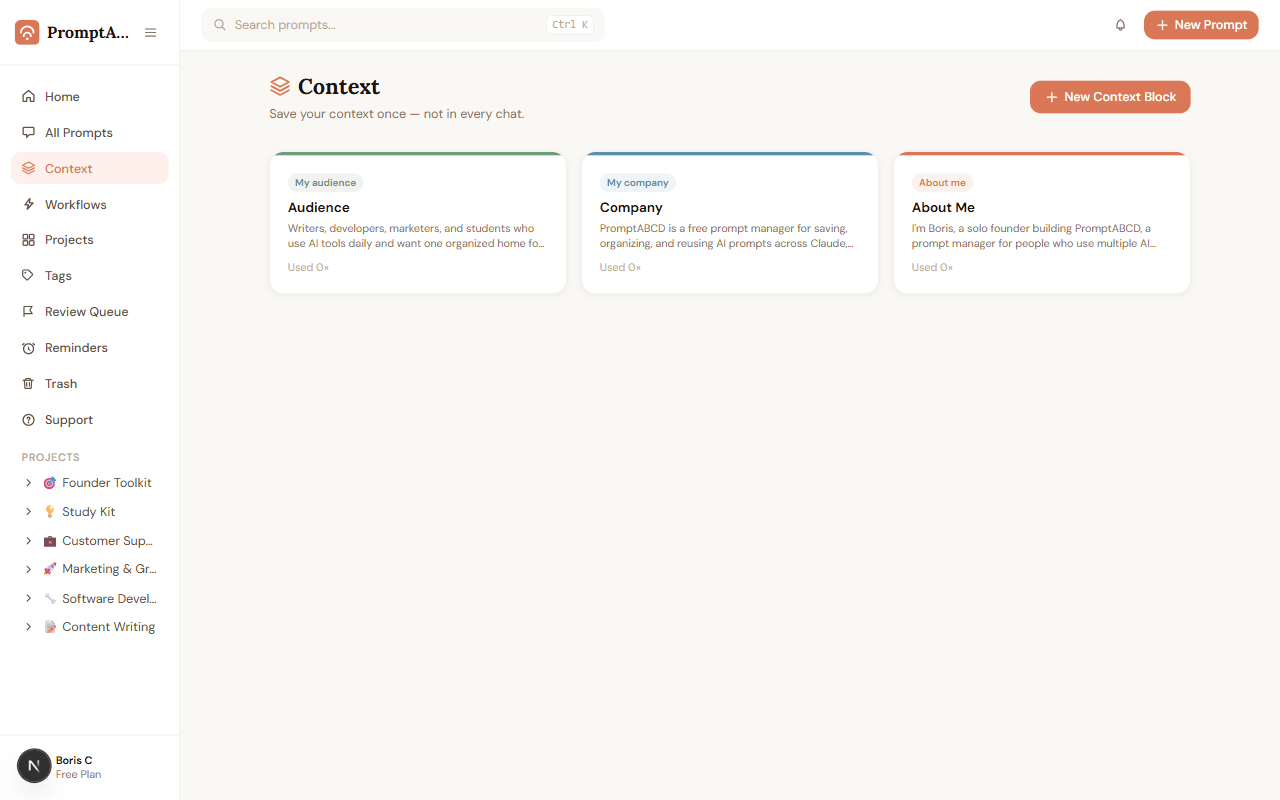
Save things like "about me", your company, and your audience as Context Blocks. Attach them to any prompt, and copy both together — color-keyed so you can see exactly where each line came from.
- Save about-you, company, or audience info as reusable blocks
- Attach any combination of blocks to a prompt, in any order
- Copy prompt + context together with one click
No lock-in
Out the door as a Custom GPT, Project, Skill, or Gem.
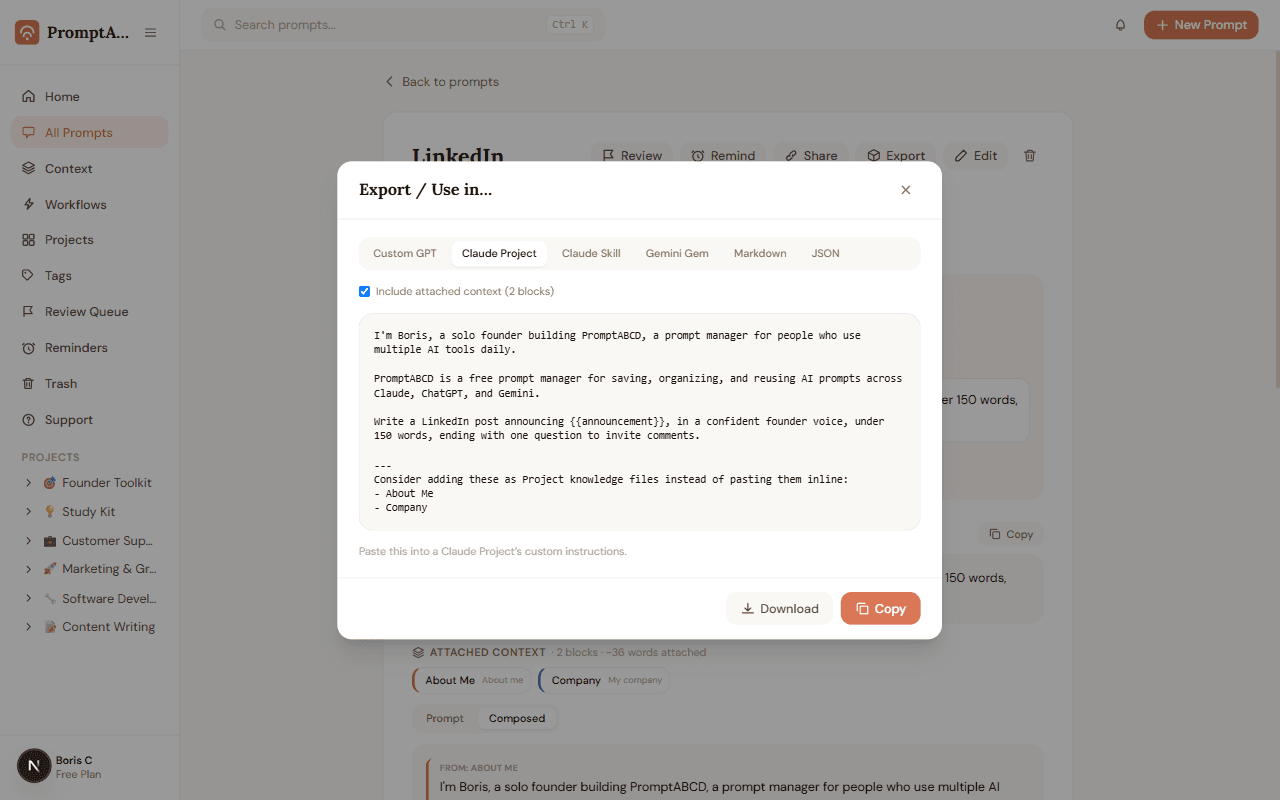
Build a prompt once, with its context — then export it to the exact format your destination tool expects, no manual reformatting.
- Build once with your context attached
- Export to Custom GPT, Claude Project, Claude Skill, Gemini Gem, Markdown, or JSON
- One source of truth, no copy-paste reformatting
Everything else
And everything around them
The quiet details that keep a prompt library useful for years, not weeks.
Soft delete & instant undo
Delete with confidence. Nothing is gone for 30 days.
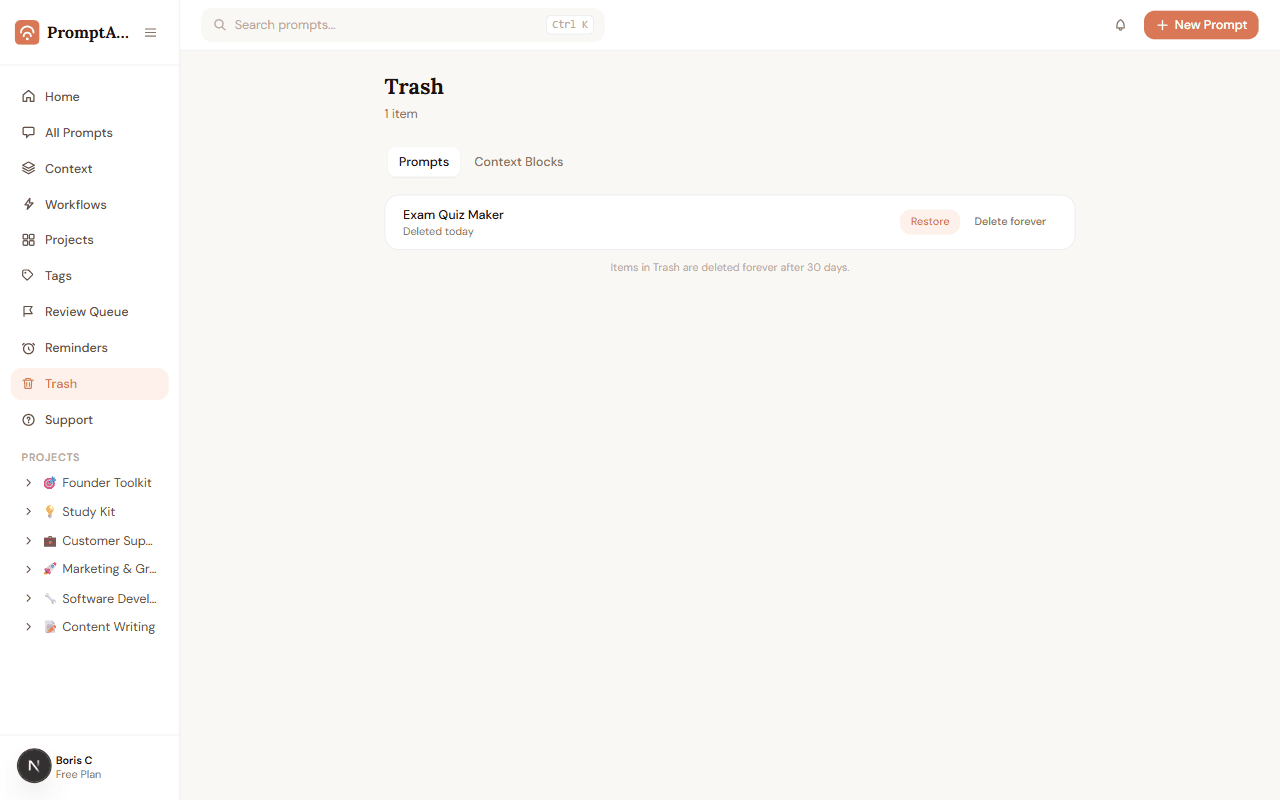
Every deleted prompt sits safely in Trash for 30 days before it's gone for good. Changed your mind a second after deleting? Hit Undo and it's back instantly — no confirmation dialogs, no support tickets.
- Deleted prompts land in Trash, not the void
- One-click Undo right after deleting, no extra steps
- Restore any time in the next 30 days, or let it auto-clear
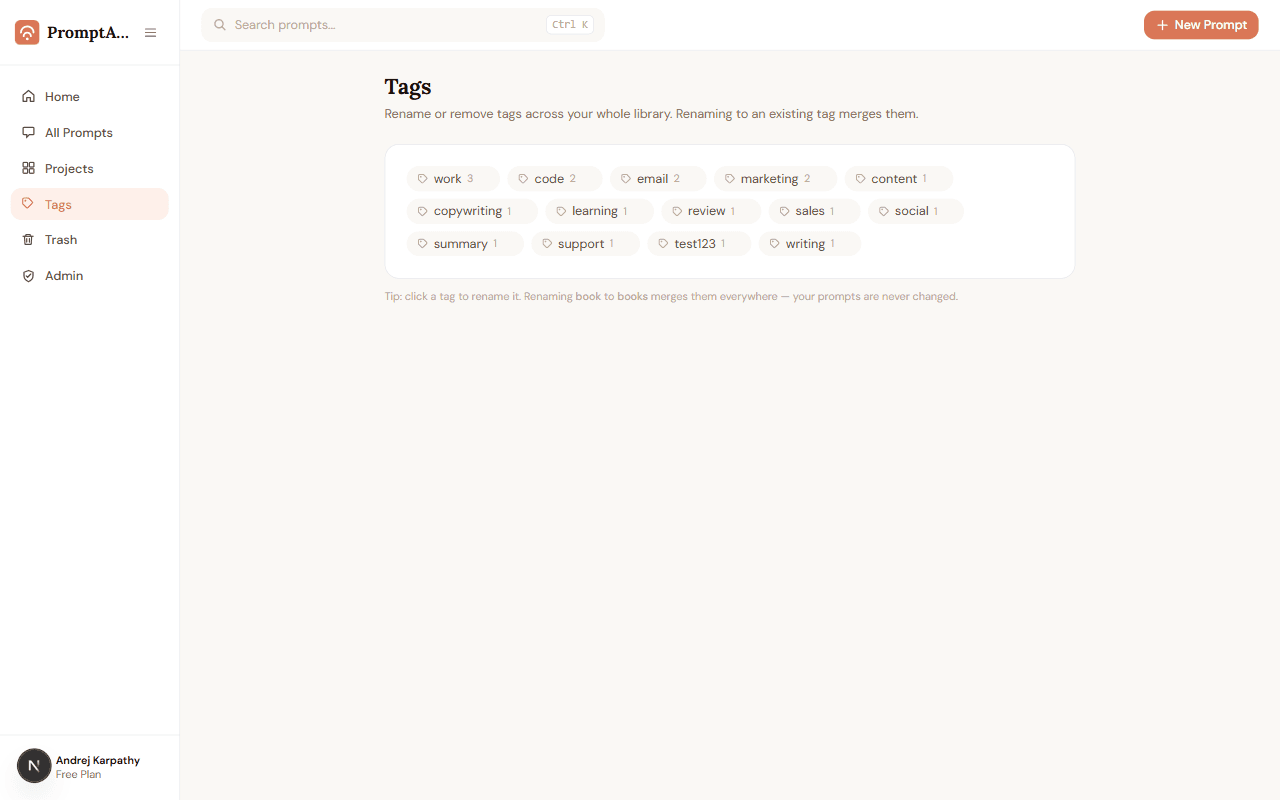
Library-wide tag cleanup
One tag, applied everywhere — in one click.
Tags drift over time: "book" and "books", "email" and "emails". Tag Manager renames or merges any tag across your entire library at once, so your filters and search stay accurate without editing prompts one by one.
- Rename a tag once and it updates on every prompt that uses it
- Renaming to an existing tag name merges the two automatically
- See exactly how many prompts use each tag before you touch it
Most-used prompts, surfaced
See which prompts actually earn their place.
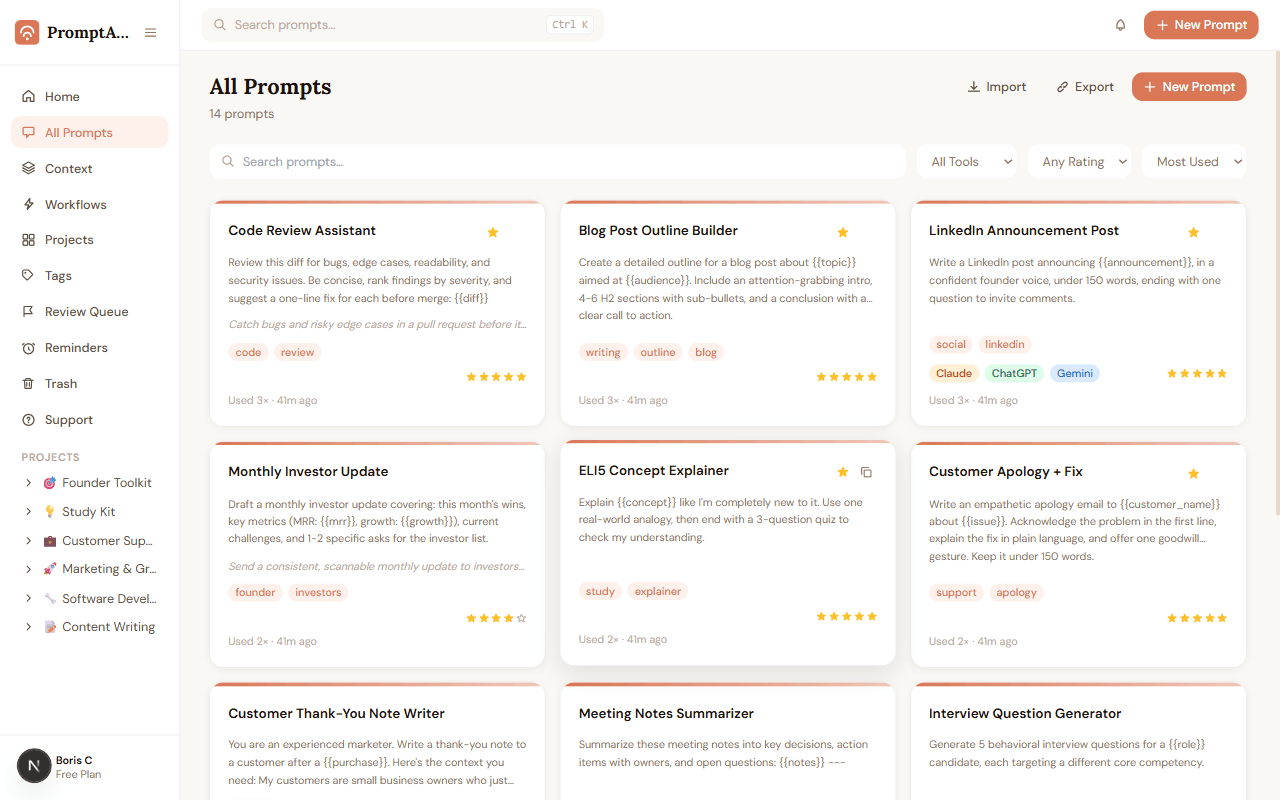
Every copy and every fill-in-the-blank use is counted automatically. Sort your whole library by Most Used to find your real workhorse prompts, or spot ones nobody has touched in months.
- Usage count and "last used" time shown on every prompt card
- Sort the entire library by Most Used in one click
- No manual logging — every copy action counts itself
Markdown & JSON backups
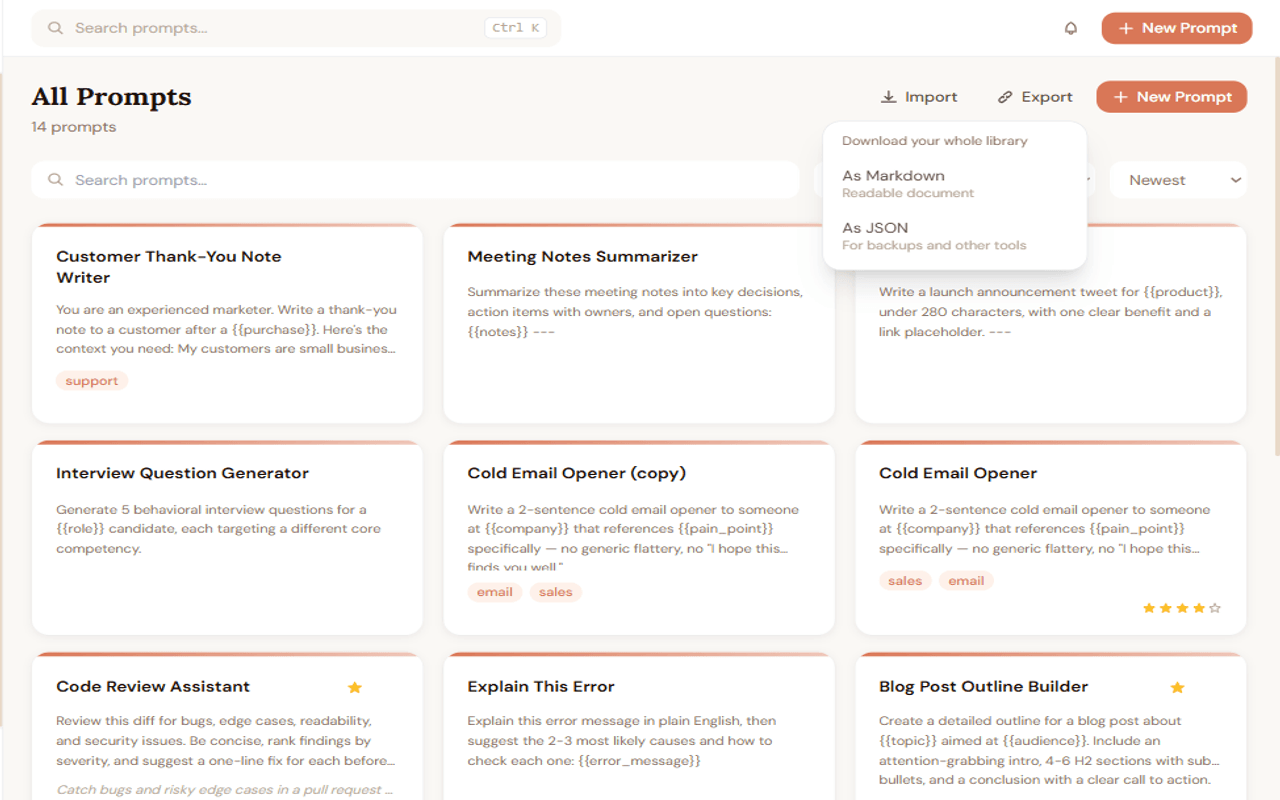
Your whole library, downloaded in one click.
Your prompts should never be trapped in one app. Download your entire library as a readable Markdown file or as structured JSON for backups, migrations, or your own tooling — any time, free.
- One click exports every prompt in your library at once
- Markdown for reading, JSON for backups and other tools
- No limits, no paywall — your data is always yours to take
Prompt writing, step by step
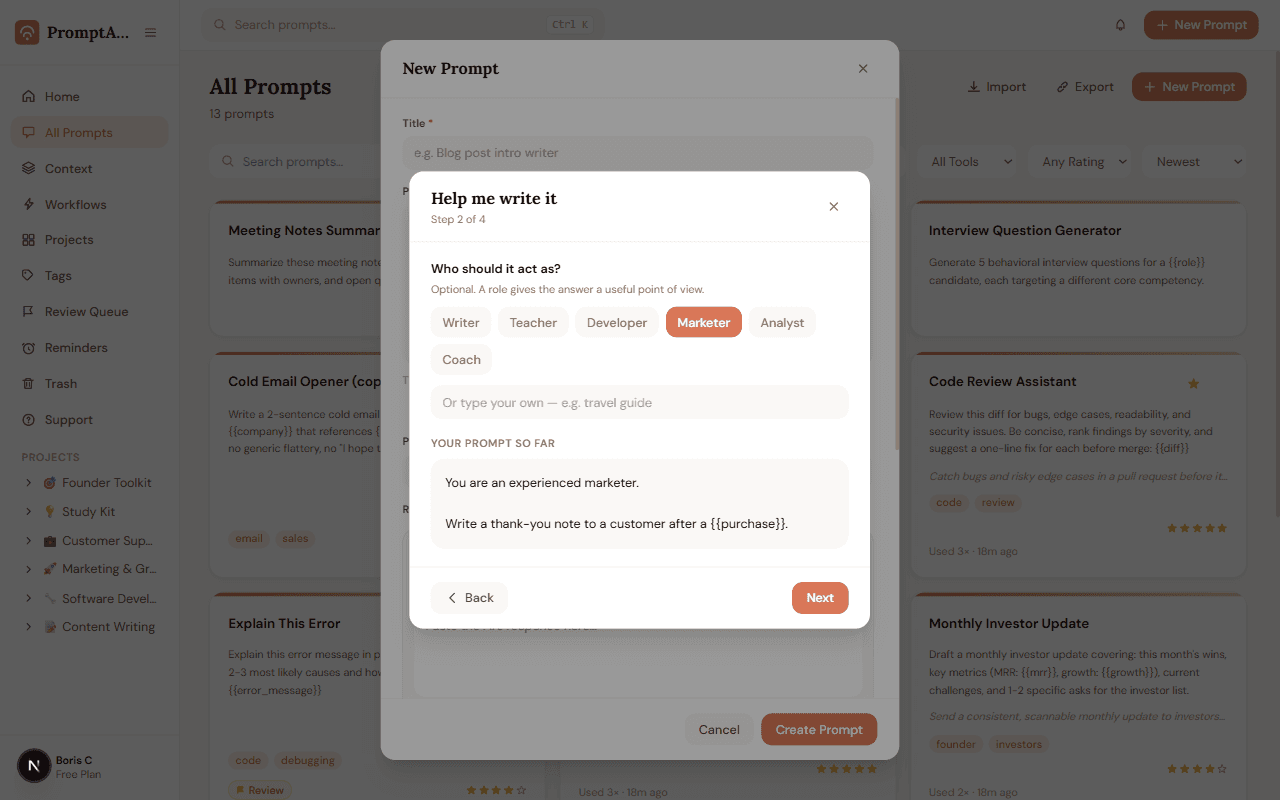
New to prompting? Answer four questions instead.
Describe what you want in one sentence, pick a role for the AI to act as, add any details it needs, and choose a response shape — the builder assembles a well-structured prompt for you, with a live preview at every step.
- Four short steps: goal, role, details, response format
- Live preview shows the assembled prompt as you go
- Skip any step you don't need — everything is optional
Document how to reuse it
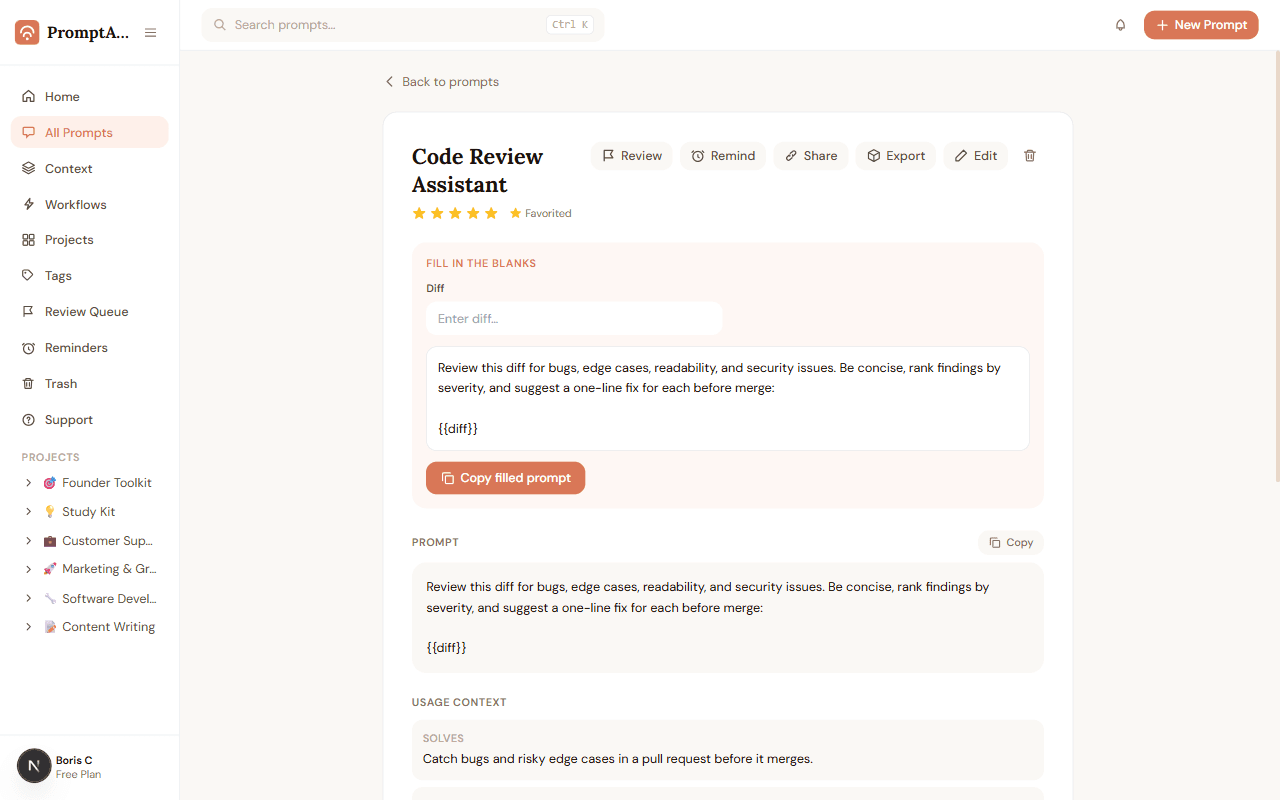
Future you won't remember. Usage Context will.
A great prompt is useless if you forget what it was for. Usage Context lets you note what a prompt solves, what input it needs, and what it returns — so picking it back up in three months takes seconds, not guesswork.
- Three fields: Solves, Needs, and Returns
- Shown right on the prompt page, no digging through notes
- Optional — add it only for prompts worth documenting
Change notes, not just diffs
Know why a prompt changed, not just what changed.
A color-coded diff tells you what changed. A change note tells you why. Add a short reason each time you edit a prompt's text, and it shows up right alongside the diff in Version History — a real changelog for your prompts.
- Optional one-line note attached to every edit
- Notes appear next to the diff in Version History
- Useful months later when deciding whether to revert
Flag now, fix later
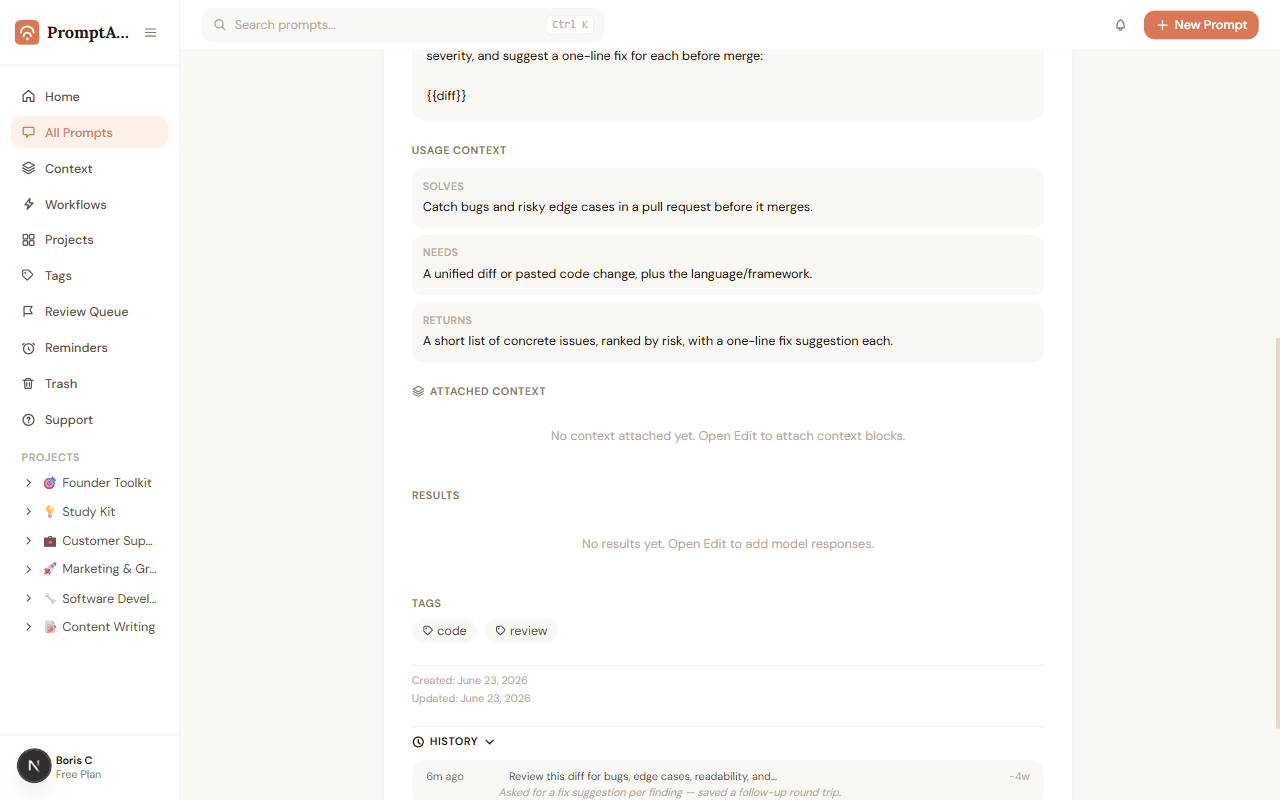
Spot a stale prompt? Flag it and move on.
Notice a prompt that's outdated or needs a rewrite, but don't have time right now? Flag it for review with one click. It lands in a dedicated Review Queue you can work through at your own pace, instead of fixing it on the spot or forgetting entirely.
- One-click flag from any prompt page
- All flagged prompts collected in one Review Queue
- Clear a prompt once you've addressed it
Compare Claude, ChatGPT, and Gemini
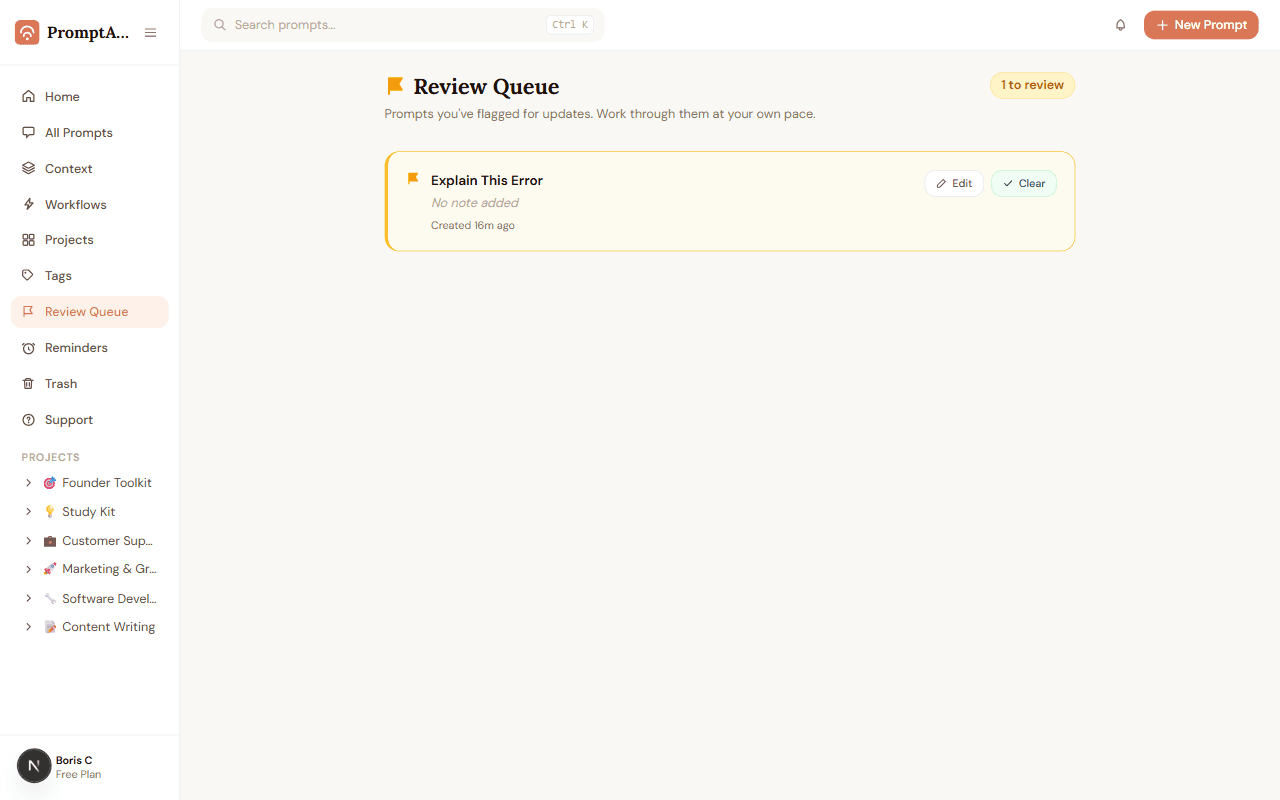
Same prompt, three models, one screen.
Run the same prompt through Claude, ChatGPT, Gemini, or any other model and save every response on the prompt itself. Compare outputs side by side, copy the best one, and stop losing track of which model said what.
- Store responses from Claude, ChatGPT, Gemini, Grok, and more
- Side-by-side layout makes differences easy to spot
- Copy any single result with one click
Reusable about-you and company info
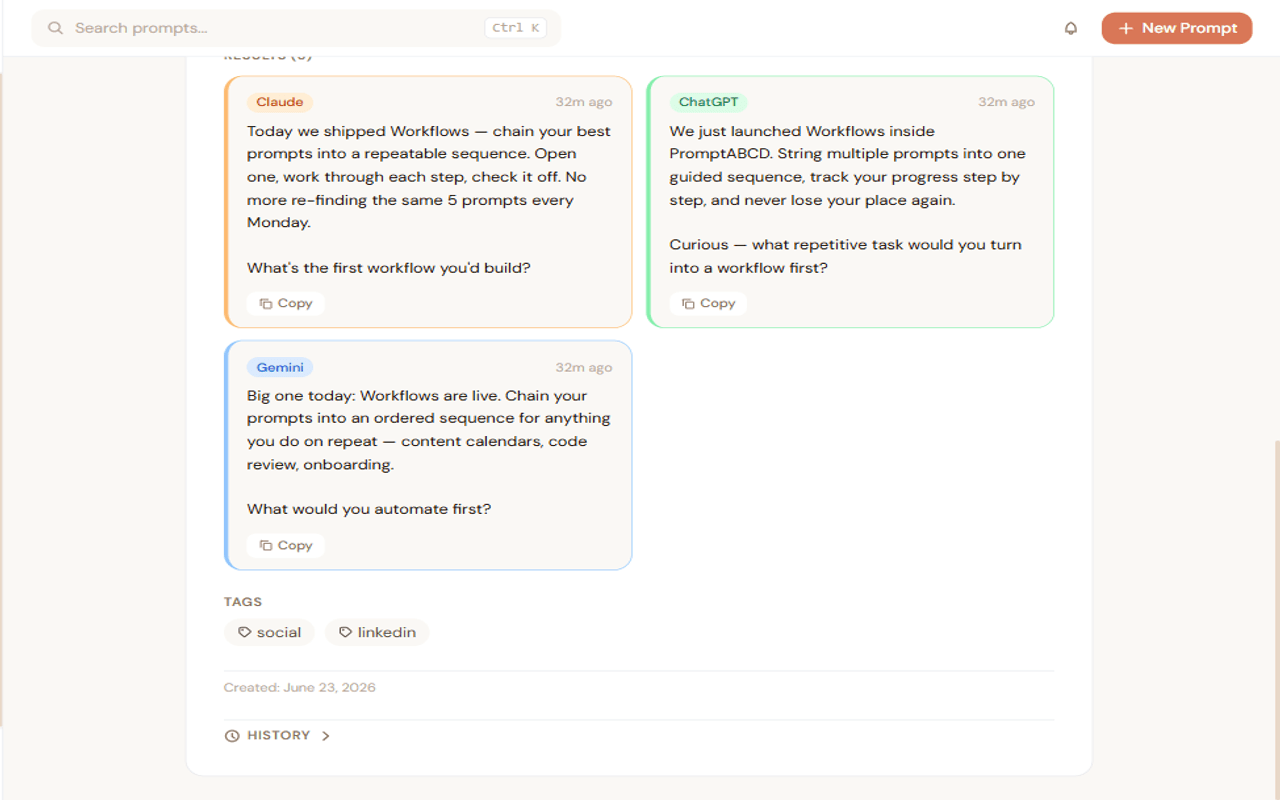
Save it once. Stop retyping who you are.
About Me, Company, and Audience rarely change — so stop pasting them into every prompt by hand. Save each one as a Context Block, then attach any combination of them to a prompt in seconds.
- Built-in categories: About Me, Company, Audience, and Custom
- See how many times each block is reused across your library
- Edit a block once and every attached prompt stays up to date
No lock-in, ever
Leave PromptABCD whenever you want. Take everything with you.
A prompt manager should never be a trap. Export any prompt — with its attached context — as a Custom GPT, a Claude Project or Skill, a Gemini Gem, Markdown, or JSON, formatted exactly the way that destination expects.
- Six export formats: Custom GPT, Claude Project, Claude Skill, Gemini Gem, Markdown, JSON
- Attached context is included automatically, properly formatted
- Copy or download — whichever fits how you work
Save from ChatGPT, Claude & Gemini
Your prompt library, inside the browser.
The PromptABCD Chrome extension puts a full-featured side panel in every AI tab. Save any prompt or reply in one click, search your whole library, and insert back into the chat — without ever switching tabs.
- Hover any message on Claude, ChatGPT, or Gemini and click Save
- Open the side panel to search, filter by project, and insert in one click
- Right-click any selected text anywhere on the web to save it — no AI site needed

Bugs, questions, and feedback
Stuck? Tell us in seconds, right from the app.
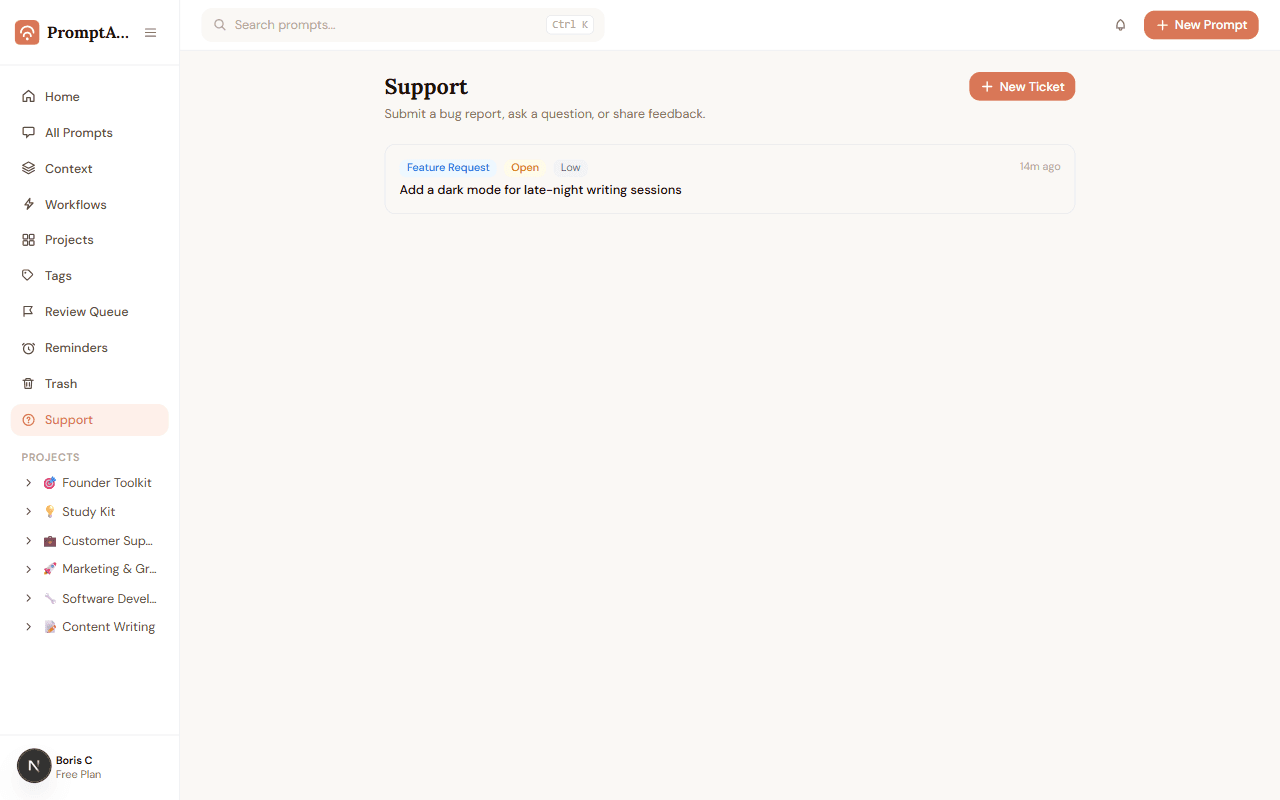
Found a bug or have a feature request? Submit a ticket without leaving PromptABCD — set a type and priority, and track its status from the same Support page where you sent it.
- Submit bug reports, feature requests, questions, or feedback
- Set a priority so urgent issues stand out
- Track every ticket's status in one place
Free courses · No signup to start
Learn prompt engineering — free, interactive, and built to actually teach
PromptABCD includes free interactive courses organized into learning arcs. From your very first prompt to orchestrating multi-step AI workflows — every lesson ends with a hands-on exercise, not a quiz on definitions.
- ✓Structured learning arcs — Beginner to Advanced
- ✓Hands-on exercises, live demos, and wrong-way examples in every module
- ✓Works with Claude, ChatGPT, Gemini, Grok, and more
- ✓No account needed — start learning in seconds
- ✓XP system and progress tracking when you sign in
The Awakening
Beginner
What prompts are and why specificity changes everything.
The Foundations
Beginner → Intermediate
Tone, format, constraints — the four controls every AI respects.
The Craft
Intermediate
Chain-of-thought, few-shot patterns, persona engineering.
The Specialist + Builder
Intermediate → Advanced
Domain prompting and production-grade AI workflow design.
See it all in your own library
Free forever — no credit card required.