Reusable context
Save your context once. Reuse it everywhere.
Stop re-typing who you are, what your company does, and who you're writing for into every new chat. Save it once as a Context Block, attach it to any prompt, and copy both together.
Free forever · No credit card required
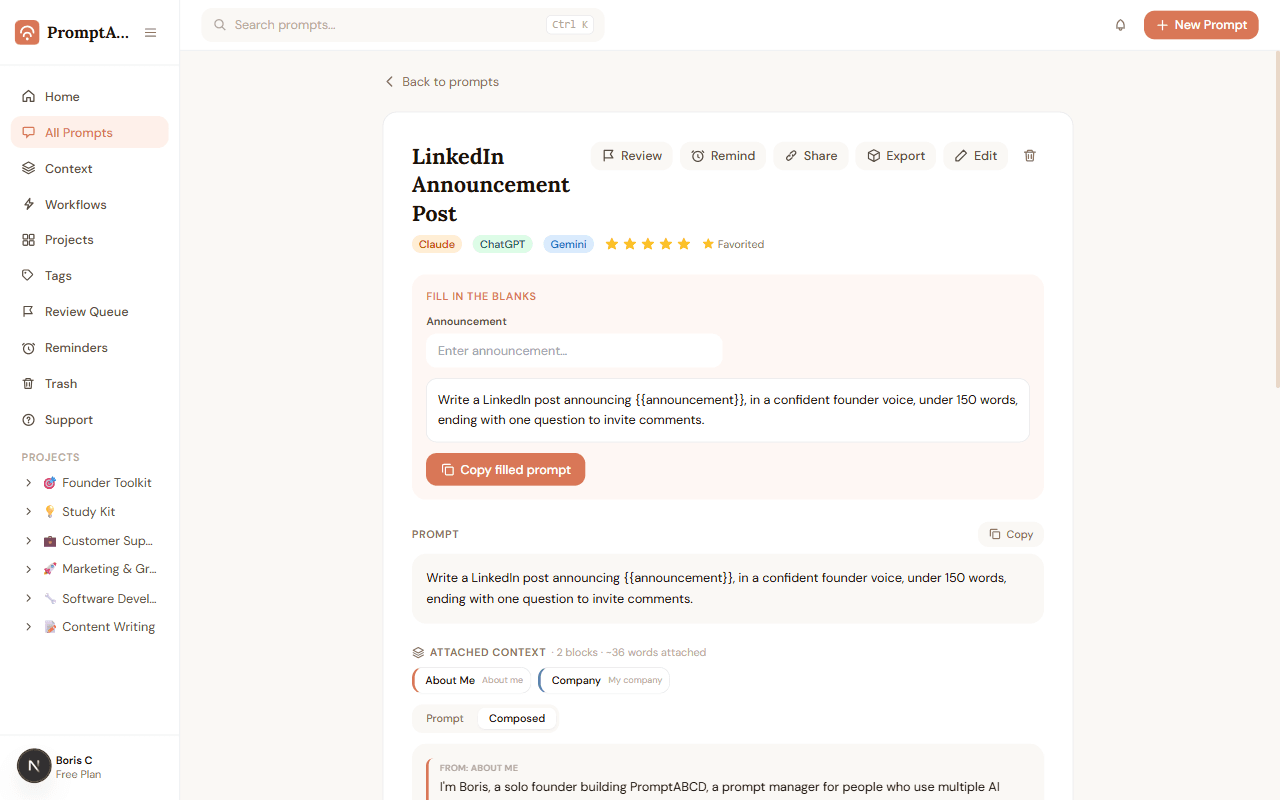
Your saved context, one tap away. Tap a block to attach it to the prompt.
17words you didn't have to retype
How it works
A prompt is only half of what you feed an AI
The other half is the context — who you are, your company, your audience. Context Blocks save that half too.
Context Blocks
Color-keyed, so you always know where text came from
Switch a prompt to Composed view and see exactly which lines came from which block — hover a chip to highlight its lines, or vice versa.
- Save about-you, company, brand voice, or audience info once
- Attach any combination of blocks to a prompt, in any order
- Copy the prompt and its context together with one click
FAQ
Context Blocks — frequently asked questions
What is a Context Block?
A Context Block is a saved piece of background — about you, your company, your brand voice, or your audience — that you write once and can attach to any prompt. It's the part of a prompt that almost never changes between chats.
Can I attach more than one Context Block to a prompt?
Yes. Attach as many blocks as you need and reorder them — they're assembled in that order, then your prompt text, into one composed copy.
Is my context private?
Always. Context Blocks are private to your account, never appear on public share pages, and are only ever sent anywhere when you explicitly copy or export them.
Stop re-explaining yourself to AI
Save your context once. Free forever — no credit card required.